Lessons From Crushing Plants: Designing Software for Heavy Operations
I grew up around crushers, conveyors and weighbridges. They taught me more about building software than any course did.
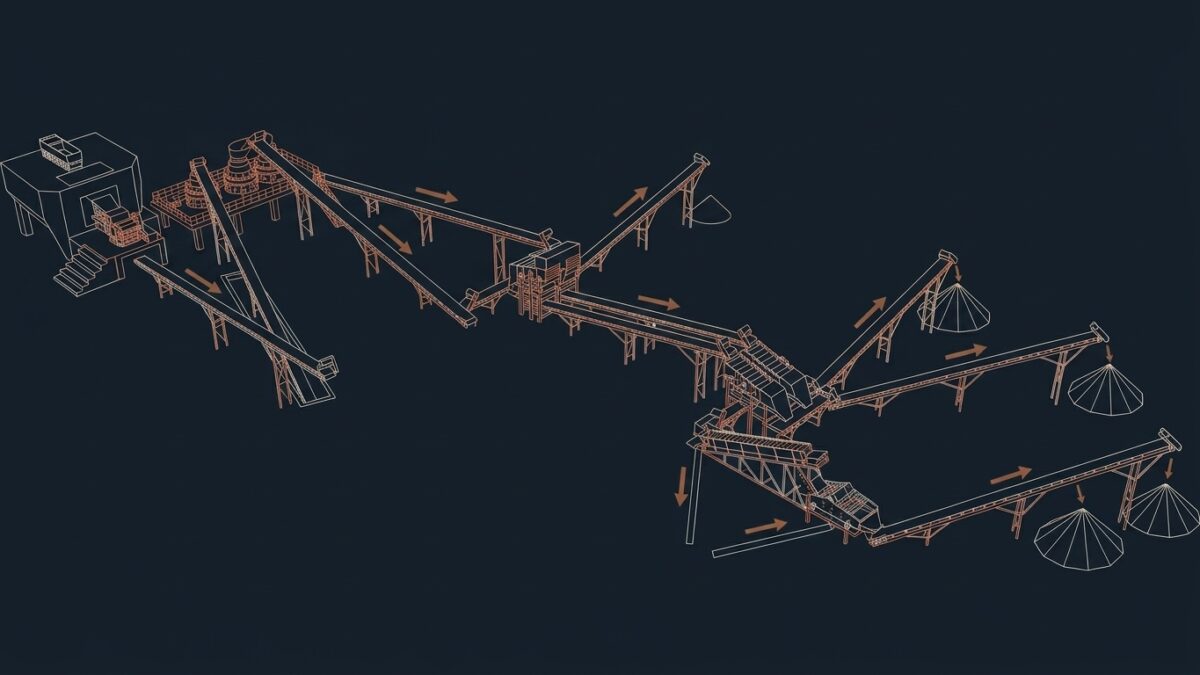
I grew up around aggregate-crushing and quarry operations. I was never an operator or an employee there, but I spent enough time around crushers, screens, conveyors and weighbridges to absorb how a heavy operation actually runs. Years later, when I started building software for businesses, I realised that the move from physical operations to software is shorter than most people think. The same rules apply. Material flows, capacity is limited, inputs vary, machines break and people make it all work.
This note collects the lessons I carried from that environment into the way I design systems. Some are technical, most are not. All of them come from watching a physical system behave honestly, in a way that software rarely forces you to.
Key points
- A crushing line runs at the speed of its slowest stage. So does every business process.
- Data should be captured at the physical event, once, by the person who sees it happen.
- Failure is normal in heavy operations. Software built for them must expect it.
- Field software must work with dust, gloves, sun and weak mobile signal.
Table of Contents
What a crushing plant looks like from the inside
For readers who have never stood next to one, a short description helps.
Rock is extracted at the quarry face, usually by blasting, and loaded into trucks or onto a feeder. It goes first into a primary crusher, often a jaw crusher, which breaks large blocks into smaller pieces. Conveyors carry the material to secondary and sometimes tertiary crushers, which reduce it further. Vibrating screens then separate it by size into the different products the market buys: sand, gravel of various sizes, and larger material for foundations and roads. Each product ends up in its own stockpile. Loaders fill customer trucks from those stockpiles, the trucks cross a weighbridge, and a delivery note is printed.
The whole installation is a chain. Wikipedia’s articles on the crusher and on construction aggregate describe the equipment and products in more detail. What they cannot convey is the noise, the dust, and the constant attention needed to keep the chain moving.
Lesson 1: the line runs at the speed of its slowest stage
The first thing a crushing plant teaches is that capacity is decided by the narrowest point. If the secondary crusher can process less than the primary sends it, material piles up on the conveyor, and eventually the primary has to stop. Speeding up the primary achieves nothing. Fixing the secondary changes everything.
Every business process I have mapped since behaves the same way. Orders pile up in front of the one person who approves them. Invoices wait for the one document that arrives late. When moving from physical operations to software, this is the first lesson I apply: find the narrowest stage before building anything. A system that speeds up a stage that is not the bottleneck only makes the queue longer, as I explained in last week’s note on dependencies.
Lesson 2: inputs vary, and the system must cope
Rock is not uniform. Hardness, size and moisture change from one part of the quarry to another, and from one day to the next. Wet material clogs screens. Hard material wears crushers faster. A plant that only works with ideal input does not work.
Business data is the same. Customers misspell their names, suppliers change their invoice format, a product is entered with a new code by a new colleague. Software designed for clean input fails on the first ordinary day. The second lesson of moving from physical operations to software is to design for that variation:
- Validate at the entrance. The cheapest place to catch bad input is where it enters, not three steps later.
- Use controlled lists. Products, customers, sites and vehicles come from lists, not from free text.
- Accept the exception, but record it. When something does not fit, the system should allow it and flag it, rather than forcing people to invent a workaround.
Lesson 3: capture data at the physical event
On a quarry site, the weighbridge is the moment of truth. A truck drives on, its weight is recorded, a delivery note is printed with the product, the customer, the vehicle and the net weight. That single event produces the data that stock, invoicing and transport all depend on. A truck scale is, in a sense, the most honest data-entry device in the business: it records what physically happened, when it happened.
This shaped one of my strongest design rules. Data should be captured once, at the physical event, by the person or device that sees it happen. Not reconstructed at the end of the day from memory. Not copied from a paper note into a spreadsheet by someone in another office. Each copy is a chance for an error, and each delay is a period during which the business does not know its own state.
Moving from physical operations to software therefore starts with one question: where are the moments of truth in this business, and how do we record them at the source?
Lesson 4: stockpiles are buffers, and buffers are state
Between crushing and loading, material sits in stockpiles. They absorb the difference between the rhythm of production and the rhythm of sales. When production stops for maintenance, sales can continue from stock. When a big order comes in, stock covers it.
When moving from physical operations to software, a stockpile becomes both a buffer and a piece of state. The system must know how much of each product is there, which means every movement in and out must be recorded. Production adds to it. Loading takes from it. Transfers, losses and corrections adjust it. If any one of those movements is missing, the stock figure is wrong, and every decision based on it is wrong too.
This is why I prefer to model stock as a list of movements rather than a single number that people edit. The number is calculated from the movements. When it is wrong, the movements show why.
Lesson 5: machines wear, and maintenance is part of the system
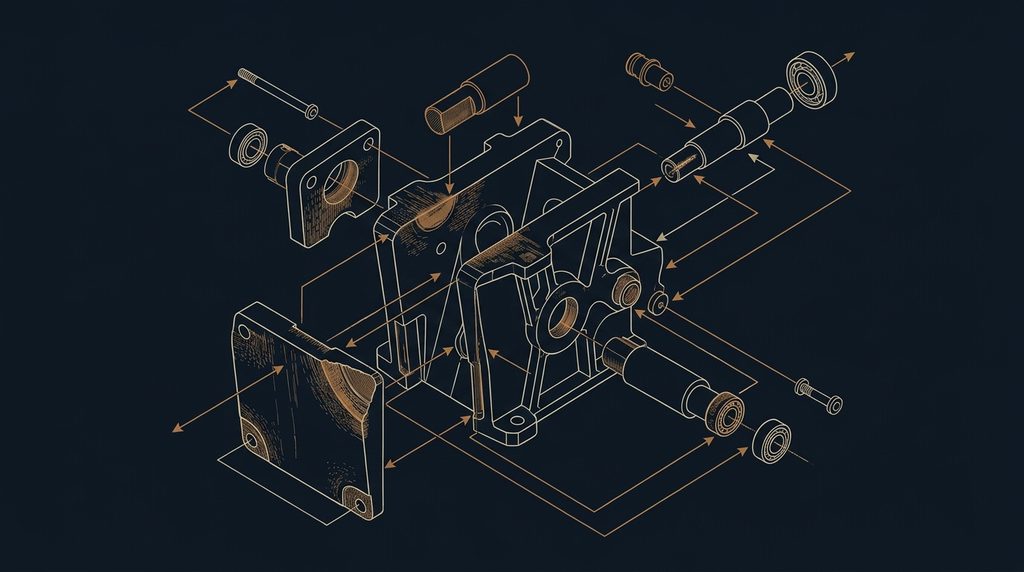
Crushers have wear parts. Liners, jaws, screen meshes and conveyor belts wear out with every tonne processed. A plant that ignores wear runs well for a while, then breaks at the worst possible time. A plant that plans maintenance stops on its own schedule.
The same property survives the move from physical operations to software, even if it is less visible. Dependencies age, data accumulates, workarounds pile up. A system with no maintenance plan becomes fragile in the same way a crusher with worn liners does. Industrial operations measure equipment health with indicators such as overall equipment effectiveness, which combines availability, performance and quality. I find the same three questions useful for any business system: is it available when needed, is it fast enough, and are its outputs correct?
Lesson 6: failure is normal, so design for it
In heavy operations, things stop. A belt tears, a motor overheats, power cuts out, a truck breaks down on the ramp. Nobody running a quarry expects a day without incidents. What matters is how quickly the operation recovers, and whether anyone knows what happened.
Any move from physical operations to software must be built on that expectation. A few principles I apply:
- Work offline when the network fails. Many sites have weak mobile signal. A weighing or a delivery recorded offline must synchronise later without being lost or duplicated.
- Record stoppages as data. Every stop, with its start time, end time and cause, is information. Over months it shows which failures repeat.
- Make recovery simple. A wrong entry should be correctable by the right person, with the correction recorded, not hidden.
- Never lose a record silently. If something cannot be saved, the user must know.
Lesson 7: specifications are rules, and rules belong in the system
Aggregates are sold by specification. A product is defined by its size range, and customers, especially in construction, care that what they receive matches what they ordered. Quality checks such as sieve analysis confirm it.
For software, specifications are rules. Each product has a code, a description, a unit and properties. Each order refers to a product, not to a description typed by hand. Each delivery refers to an order. When the rules live in the system rather than in people’s memory, mistakes become harder to make and easier to find.
This is also where the move from physical operations to software pays off for the customer. A delivery note that is generated from the weighing, the order and the product rules leaves very little room for dispute.
Lesson 8: people operate the system, in real conditions
A quarry is not an office. The people who record weighings, dispatch trucks or log stoppages work in dust, noise, heat and sometimes rain. They wear gloves. Their screen may be a phone in direct sunlight. They have a truck waiting and no time for five-step forms.
Moving from physical operations to software means designing for these conditions. Software that ignores them is ignored in return. I design field screens with that reality in mind:
- Large touch targets that work with gloves.
- High contrast that stays readable in sunlight.
- Few fields per screen, with sensible defaults.
- Fast entry for the most frequent action, such as recording a load.
- Clear confirmation that the record has been saved.
None of this is advanced technology. It is respect for the person doing the work.
A data model that starts from the ground
When I sketch a system for a heavy operation, I start from the physical events, not from the reports. The table below is a simplified illustration of the core records for an aggregate site.
| Record | Created when | Key fields |
|---|---|---|
| Product | Once, by the manager | Code, size range, unit, price list |
| Customer | At the first order | Name, identifiers, payment terms |
| Vehicle | At first visit | Plate, carrier, tare weight |
| Order | When the customer orders | Customer, product, quantity, site |
| Weighing | When a truck crosses the bridge | Vehicle, gross, tare, net, time |
| Delivery note | From the weighing and the order | Order, product, net weight, signature |
| Stock movement | At every production, loading or adjustment | Product, stockpile, quantity, reason |
| Stoppage | When a machine stops | Equipment, start, end, cause |
Reports, dashboards and invoices are then calculated from these records. They are outputs, not inputs. This order of thinking, from physical event to record to report, is the core of moving from physical operations to software well.
What the quarry taught me about people and decisions
The technical lessons of moving from physical operations to software are the easy part to write down. The harder lessons are about people.
Operators know things that no report shows. They hear a bearing that is about to fail. They know which part of the face gives wet material after rain. A system that does not let them record what they know, or that treats them as data-entry staff rather than experts, loses that knowledge.
Decisions in heavy operations also have consequences you can see. Stop the line for maintenance today, or risk a longer breakdown next week. Accept a large order that stretches the stockpile, or protect regular customers. Those choices taught me that good systems do not make decisions for people. They give people the information to decide well, and then record what was decided and why.
A checklist for moving from physical operations to software
Before any screen is designed, I go through the following questions on site. They are the practical summary of everything above, and they apply whether the operation is a quarry, a warehouse, a farm or a workshop.
- Where are the moments of truth? List the physical events that create information: weighing, loading, receiving, producing, stopping. Moving from physical operations to software starts with this list.
- Who sees each event happen? The person or device closest to the event should record it.
- What is the slowest stage? Measure it before designing anything else.
- What varies? Raw material, customers, documents, weather. Each variation needs a rule or an exception path.
- What breaks, and how often? Stoppages, network loss, absent staff. Each failure needs a recovery path.
- What are the conditions of use? Dust, gloves, sun, noise, signal. Screens must be designed for them.
- Which outputs matter? Delivery notes, invoices, stock, reports. They are calculated from the records, never typed separately.
When those seven answers are written down, the step from physical operations to software is mostly a matter of careful execution. When they are missing, no amount of technology compensates for them.
Common mistakes when building software for heavy operations
- Designing from the office. Screens designed at a desk rarely survive the first day on site.
- Assuming constant connectivity. Many sites have weak or no mobile signal for part of the day.
- Recording at the end of the day. Data reconstructed from memory is late and often wrong.
- Editing stock directly. A stock figure without movements cannot be audited or corrected properly.
- Ignoring stoppages. Downtime that is not recorded cannot be reduced.
- Treating operators as typists. The people closest to the machines often know the most about the system.
Where these lessons show up today
These lessons are the reason I start every project by asking what physically happens and where. They shaped the way I build software through MeskikCode, whose first published article is about quarry and construction operations, and they shaped the five-step method I use for everything else. More about that background is on my about page.
Questions about moving from physical operations to software
What can software design learn from physical operations?
Physical operations make the rules of any system visible: capacity is set by the slowest stage, inputs vary, machines wear and fail, and people operate everything. Software that respects those rules captures data at the source, validates input early, plans for failure and fits the real working conditions of its users.
Why capture data at the physical event?
Because the event is the only moment when the information is certain. A weighing recorded as the truck crosses the bridge is exact. The same figure copied later from paper may be wrong or late. Recording once, at the source, removes copying errors and keeps the business aware of its real state.
Why should stock be modelled as movements?
A stock figure that people edit directly cannot explain itself when it is wrong. A list of movements, such as production, loading, transfers and adjustments, lets the system calculate the stock and shows exactly which movement caused a difference. It also gives a complete history for audits and disputes.
How should field software handle weak mobile signal?
It should record entries locally when the network is unavailable and synchronise them later, without losing or duplicating any record. The user should always see whether an entry is saved locally or sent. Many quarry and construction sites have weak signal for part of the day, so this is a requirement, not an option.
Were you an operator in the quarry?
No. I grew up around aggregate-crushing and quarry operations, which gave me firsthand familiarity with how they run, but I was never an operator or an employee there. The lessons in this note come from observing that environment closely over many years.
Next
Next week I move from physical operations to identity: why I chose not to describe myself with a single job title. Until then, read about my background or write to me if you run a heavy operation and want to compare notes.